Tool Tip: How to Write Camp Emails for AI Inbox Summaries
The AI Email Summary Era:
What Camp Communicators Need to Know
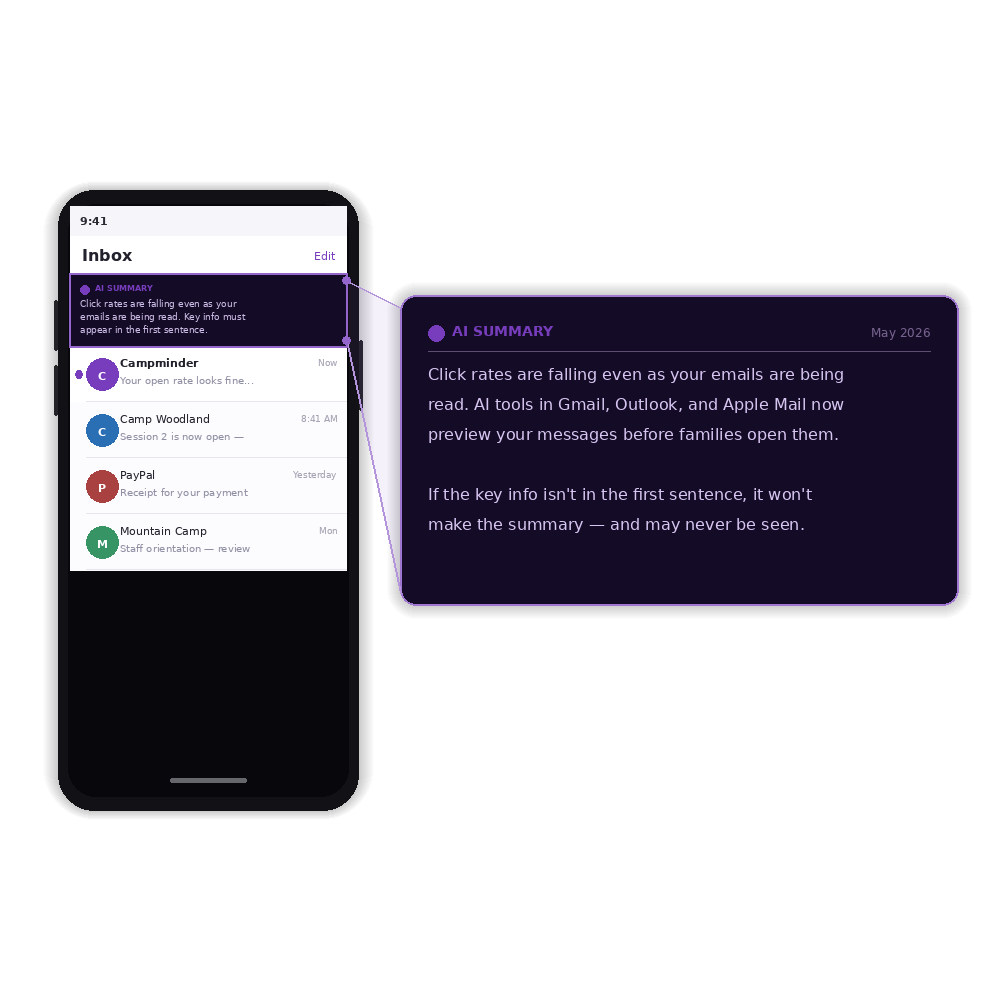
Gmail, Outlook, and Apple Mail have all rolled out AI-generated inbox summaries. These are short previews generated automatically from the body of an email. Recipients see this summary before they open the message. This is a fundamental shift in how email content is consumed.
Most camp emails are written to be read in full: a greeting, some context, and the key information somewhere in the middle or bottom of the message. The AI summary captures whatever appears first. If your email opens with ‘Hi there! We hope you’re having a great spring…’ then that is what the summary contains. Not the registration deadline you needed families to see.
Opens Are No Longer a Proxy for Engagement
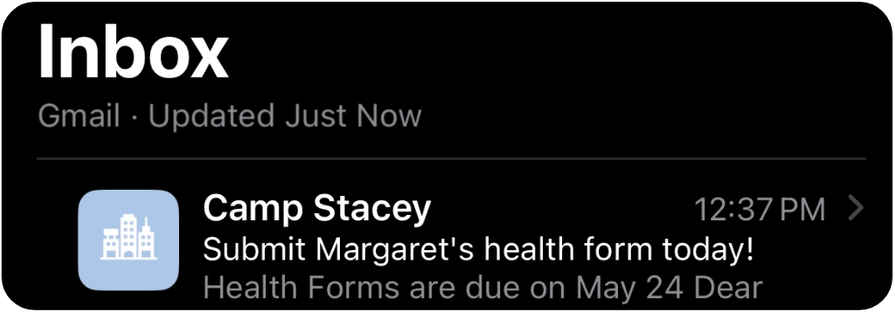
A family can have the AI summary read to them, get the gist, and move on, without the email ever registering as ‘opened.’
Open every email with the single most important piece of information, like a date, a deadline, a link, or a required action. Write the summary first, then write the email around it. If you can’t state the point in one sentence, the email probably needs to be split into two.
The Preheader is Now a Content Decision
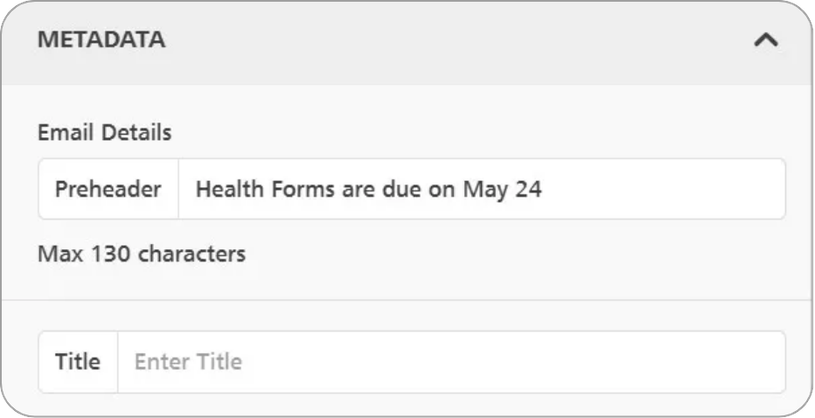
Email clients pull preheader text into summaries. A preheader that says ‘View this email in your browser’ is wasted real estate that could carry your most important message.
Write a complete, standalone sentence that carries your key message or call to action. Aim for 80–100 characters. Campminder’s Communication Hub lets you set this field on every send.
Registration Timing is a Risk
Enrollment emails with deadlines are the most vulnerable. If the deadline isn’t in the first sentence, it almost certainly won’t make the AI summary. Place the primary registration link or action button within the first third of the email. Ideally immediately after the opening sentence. Keep a secondary link at the bottom for readers who scroll, but don’t rely on it as the primary click opportunity.
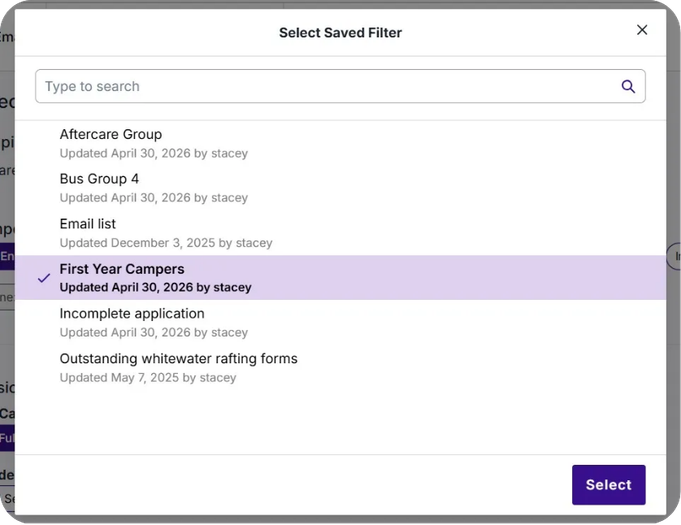
If a family or staff is only going to read a two-sentence AI preview of your message, those two sentences should feel relevant to them specifically. Campminder’s filtering lets you segment sends, so the first thing someone reads in a summary is already written for them.
Quick Hits